

Prerequisites
Before migrating Canvas, complete the following:If you have not completed some prerequisites, see Manually populate the CogniteMigration data model.
Required capabilities
The following capabilities are required to runcdf migrate canvas:
Migrating Canvas
The Cognite Toolkit reads each canvas, replaces asset-centric references with data modeling node references found through theInstanceSource view in the CogniteMigration data model, and creates a backup before uploading the updated configuration.
1
Run `cdf migrate canvas`
Run the command in interactive mode to select which canvases to migrate, or pass the options as arguments. See
cdf migrate canvas --help.2
Verify the migration
Open a migrated canvas and confirm that asset-centric references now point to data modeling nodes through their consumption views. The command also creates a backup under Version history in the Canvas UI.
How the migration works
The Cognite Toolkit reads the selected canvases and finds each reference to an asset-centric asset, time series, event, or file. For each reference, it looks up the corresponding data modeling node and consumption view in theInstanceSource view in the CogniteMigration data model, and replaces the reference.
For example, a canvas with an asset and two event elements before migration:
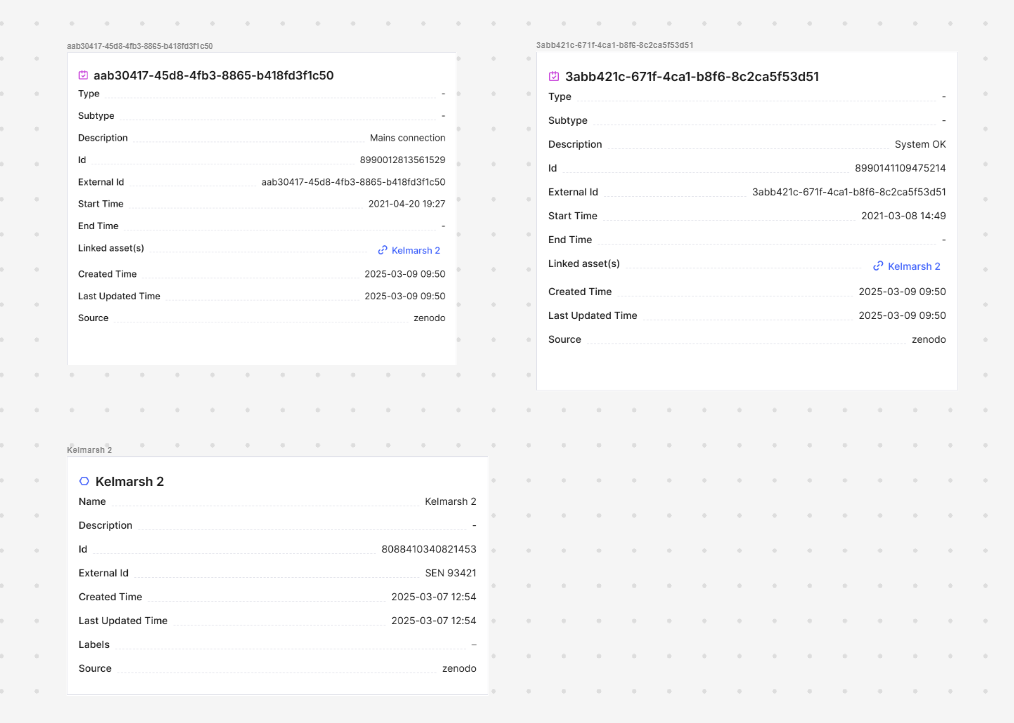
WindTurbine node and the events become StatusEvent nodes:
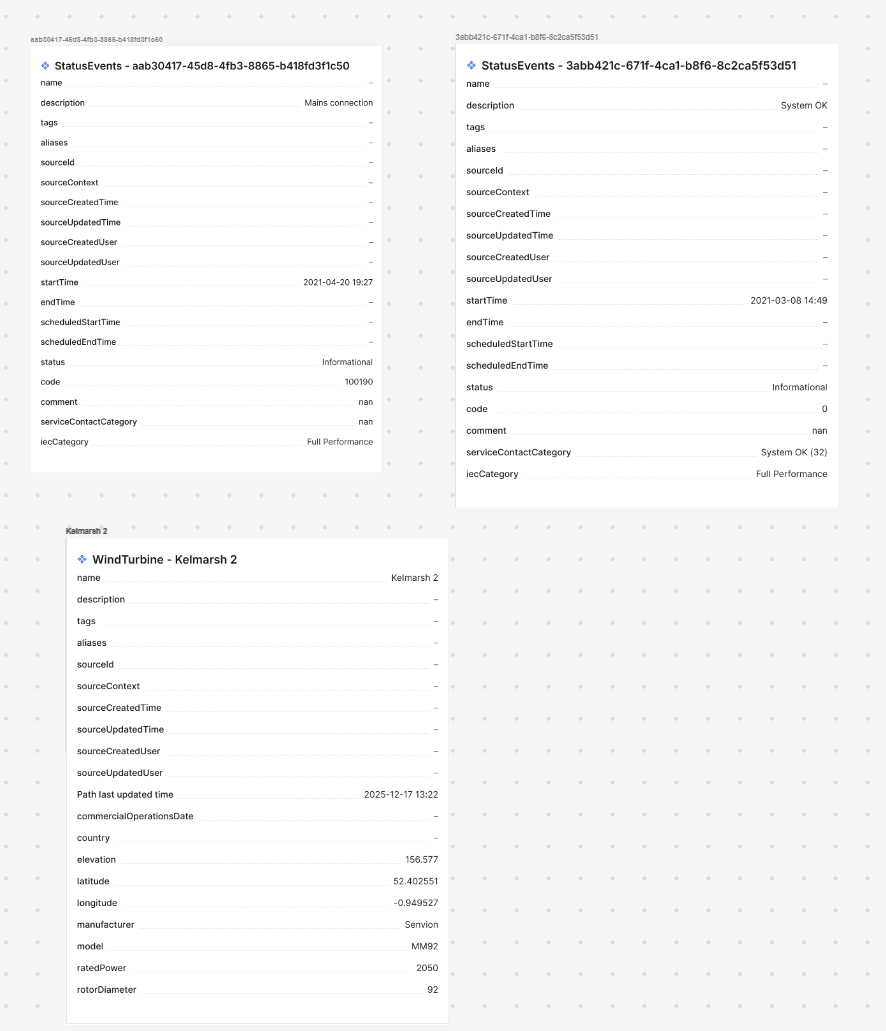
What cdf migrate canvas does
When you run cdf migrate canvas, the migration plugin performs the following steps:
1
Download the selected canvases
The Cognite Toolkit downloads the nodes and edges in the
cdf_industrial_canvas:Canvas(version=v7) data model for each selected canvas.2
Convert asset-centric references to data modeling node references
For each canvas, the Cognite Toolkit iterates through the
ContainerReference view and finds all asset-centric references to assets, time series, events, and files. For each reference, it looks up the corresponding data modeling node and consumption view in the InstanceSource view in the CogniteMigration data model, then replaces the ContainerReference with a FdmInstanceContainerReference pointing to the data modeling node with the consumption view set as the view property.3
Create a backup
Before uploading, the Cognite Toolkit creates a backup of the existing canvas configuration. The backup appears under Version history in the Canvas UI, so you can restore the canvas if anything goes wrong during migration. There is no automatic restore tool in the Cognite Toolkit itself.
4
Upload the migrated canvas configuration
The Cognite Toolkit updates the nodes and edges of each selected canvas in the
cdf_industrial_canvas:Canvas data model with the migrated configuration.