

Why this example
Reusing the same assets, time series, and events in every procedure makes it easier to follow CSV mappings, lineage screenshots, and command output. When you seesource_data, zenodo, or a wind turbine external ID in a later guide, it refers to this data set.
What’s in the data set
The data set has a root asset for the wind farm and six wind turbine assets of the same type. Each wind turbine has 298 time series and about 3,000–6,000 events. The time series contain measurements such as wind speed, power output, and temperature. The events contain alarms and changes in operations, such as wind below minimum operating speed.How the guides use this example
This asset definition for one of the wind turbines shows thesource and dataSetExternalId values the plugin maps during migration:
Kelmarsh1.Asset.yaml
source value zenodo is what the migration plugin uses when it creates a CogniteSourceSystem node. The dataSetExternalId source_data is what it uses when it creates an instance space.
In Cognite Data Fusion (CDF), the asset hierarchy is a root Kelmarsh asset with six child wind turbines:
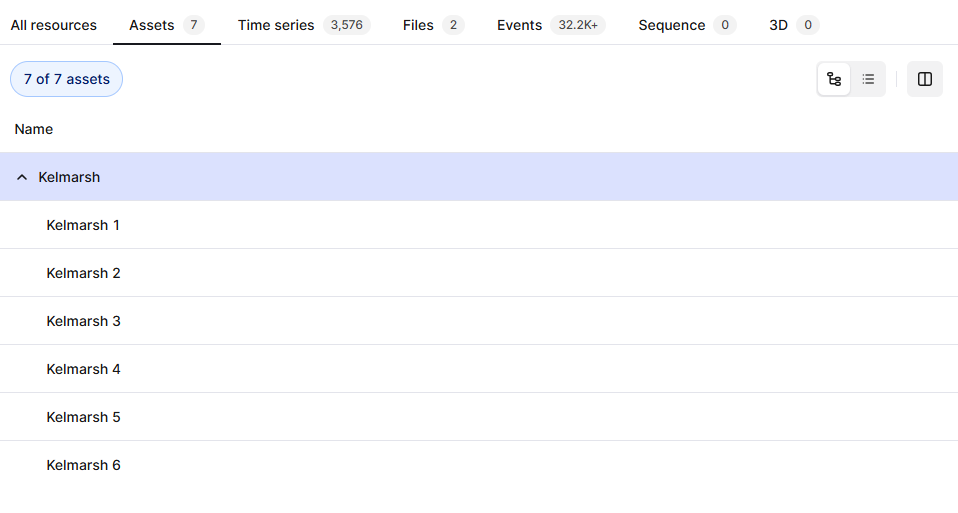
KelmarshAsset view and the turbines to a WindTurbine view. That split is why several procedures use a CSV file instead of migrating an entire data set to a single view.