

Prerequisites
Before migrating 3D models, complete the following:- Request enablement of the 3D migration feature flag from Cognite Support
- Migrating assets
- Migrating data sets
If you have not completed some prerequisites, see Manually populate the CogniteMigration data model.
Required capabilities
The following capabilities are required to runcdf migrate 3d and cdf migrate 3d-mappings:
Migrating 3D models
Runcdf migrate 3d to migrate the 3D model nodes, then cdf migrate 3d-mappings to create the asset mappings.
1
Run cdf migrate 3d
Run the command in interactive mode to select which 3D models to migrate, or pass the options as arguments. See If you see the error
cdf migrate 3d --help.You need to have the 3D migration feature flag enabled..., enable the 3D migration feature flag in the prerequisites above.2
Run cdf migrate 3d-mappings
After the models are migrated, migrate the 3D asset mappings. See Migrating 3D asset mappings.
3
Verify the migration
Confirm that
Cognite3DModel and Cognite3DRevision nodes exist, and that mappings created Cognite3DObject and CogniteCADNode nodes. See How the migration works.Migrating 3D asset mappings
After migrating the 3D models, run the asset mappings command in interactive mode:cdf migrate 3d-mappings --help for details.
When you migrate 3D asset mappings, you must select two instance spaces:
- One for CogniteCADNode nodes — the contextualized CAD nodes from the model
- One for Cognite3DObject nodes — the nodes that connect assets to those CAD nodes
How the migration works
The Cognite Toolkit looks up the instance space for the data set the 3D model belongs to, then creates a 3D model node in that space. For example, a 3D model governed through the asset-centric model: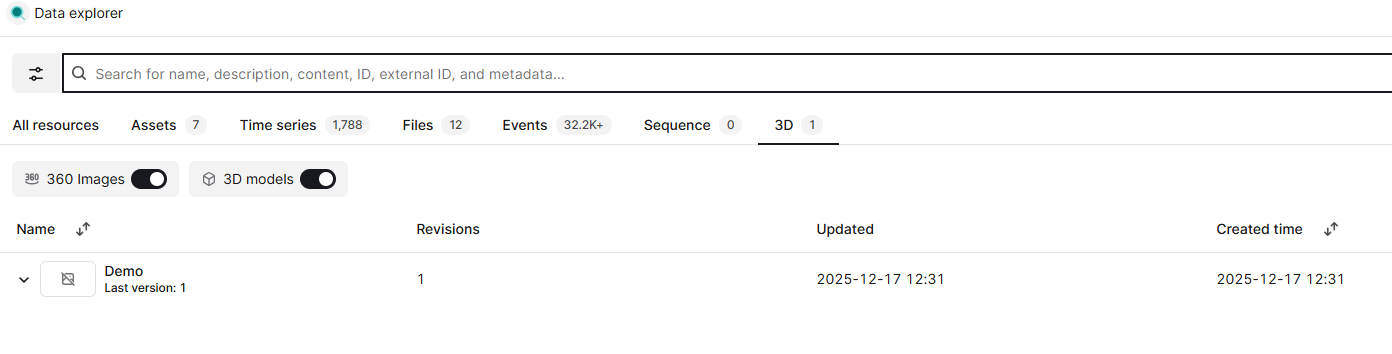
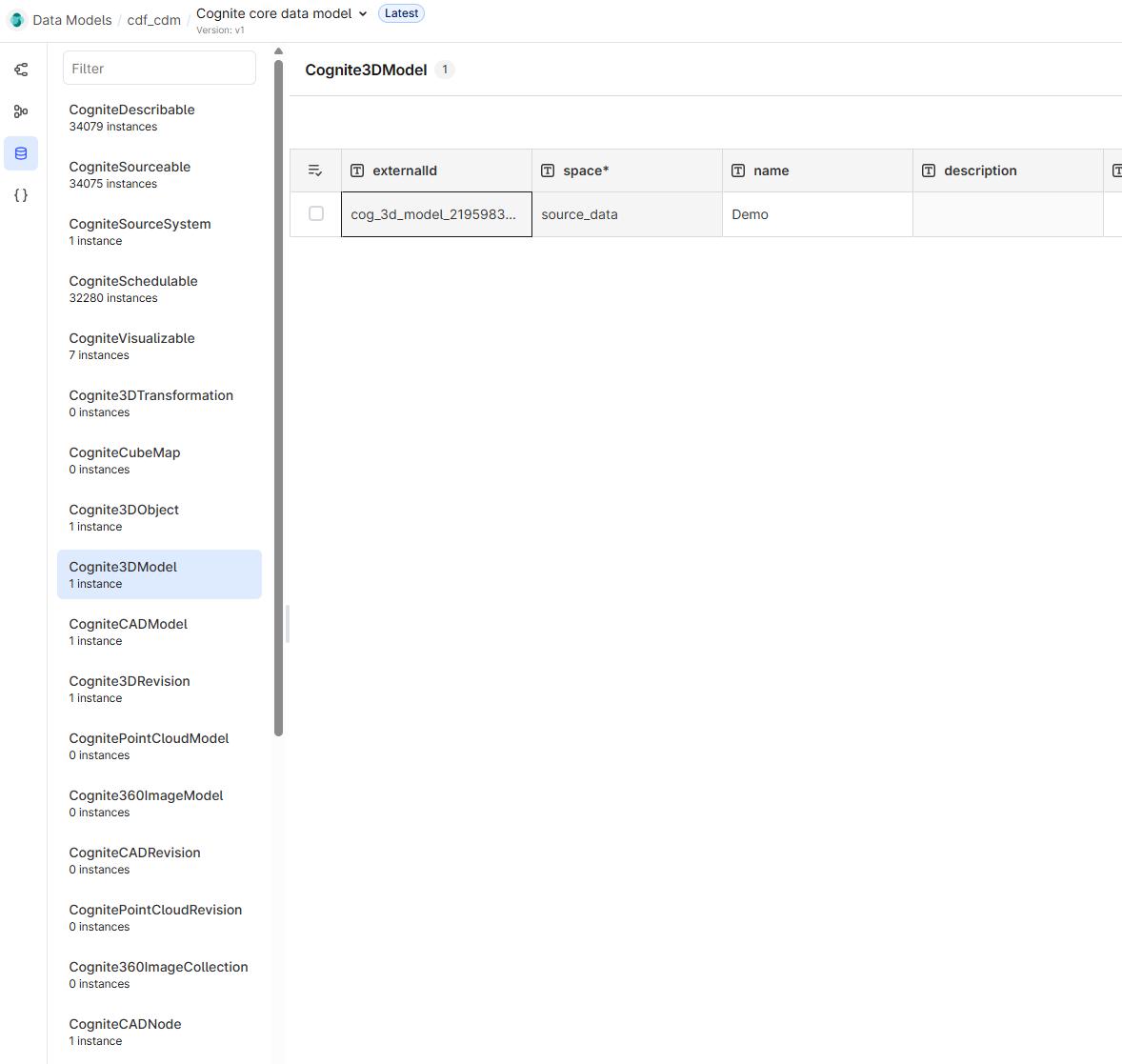
cdf migrate 3d creates the Cognite3DModel and Cognite3DRevision nodes. cdf migrate 3d-mappings creates the Cognite3DObject and CogniteCADNode nodes, and updates the asset with a direct relation reference to the Cognite3DObject node.
What cdf migrate 3d does
When you run cdf migrate 3d, the Cognite Toolkit performs the following steps:
1
Download the selected 3D models
The Cognite Toolkit reads the 3D models from the
/3d/models endpoint for each selected model.2
Create 3D model migration request
For each 3D model, the Cognite Toolkit creates a migration request. This includes looking up the instance space for the data set using the
SpaceSource view in the CogniteMigration data model.3
Call 3D model migration endpoint
The Cognite Toolkit calls a non-public migration endpoint for each 3D model with the created request. This endpoint is intended only for use by the migration plugin.
What cdf migrate 3d-mappings does
When you run cdf migrate 3d-mappings, the Cognite Toolkit performs the following steps:
1
Download the selected 3D model mappings
The Cognite Toolkit uses the
/3d/models/{modelId}/revisions/{revisionId}/mappings/list endpoint to download all asset-centric mappings for the selected 3D models.2
Convert asset-centric mappings to data modeling mappings
The Cognite Toolkit looks up the
assetId with the assetInstanceId using the InstanceSource view in the CogniteMigration data model.3
Create the data modeling mappings
The Cognite Toolkit creates the mappings using the
/3d/models/{modelId}/revisions/{revisionId}/mappings endpoint.