

This documentation requires that you have completed Step 3: Set PostgreSQL gateway as sink.
Step 1: Manage tables in PostgreSQL gateway APIs
Create a table
1
Open Postman
Sign in to Postman. You can also use the web version of Postman if you haven’t downloaded the tool.
2
Create new request
In your workspace, create a new request and enter the request name Create table.
3
Configure POST request
Select the request type as POST and enter your request URL -
https://{cluster}.cognitedata.com/api/v1/projects/{project}/postgresgateway/tables/{username}. See Setting up PostgreSQL gateway for more information.Where:
clusteris where your CDF instance exists. If you don’t know the cluster name, contact Cognite support.projectis the organization name of your CDF instance.usernamewith the username credentials
4
Set authorization
On the Authorization tab, select OAuth 2.0 as the type of Authorization. To get your access token, see setting up PostgreSQL gateway.
5
Configure request body
The Body tab allows you to specify the data you need to send with a request for every POST request. Inside the Body tab, select raw as the data model and select JSON from the dropdown as the data format and enter the below JSON:
tablename cannot be any of these built-in table names:assets, double_datapoints, events, extraction_pipeline_runs, extraction_pipelines, files, labels, raw_rows, raw_tables, relationships, sequence_rows, sequences, string_datapoints, time_series, data_models, views, containers, units, unit_systems6
Send request
Select Send to fetch a response.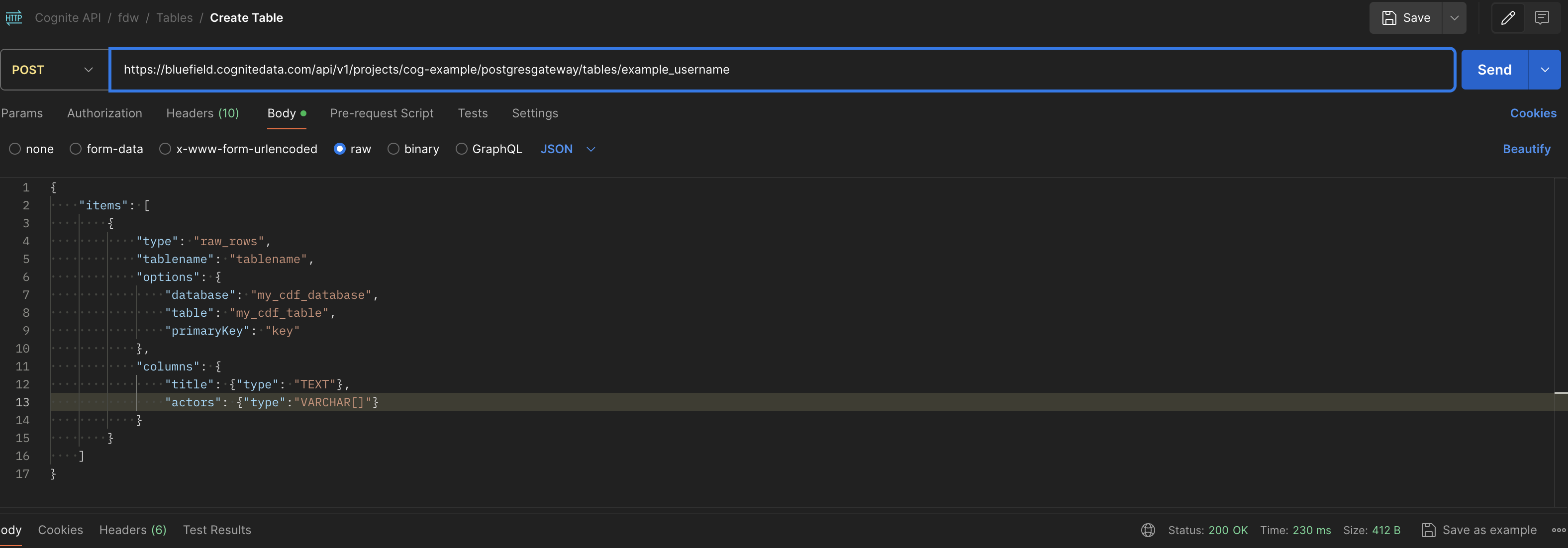
You have successfully created a new table.
When you’ve created a table in the PostgreSQL gateway, the corresponding table in CDF RAW is created when the first row is ingested using the PostgreSQL gateway.
List tables
1
Create new request
Create a new request and enter the request name List tables.
2
Configure GET request
Select the request type as GET and enter your request URL as
https://{cluster}.cognitedata.com/api/v1/projects/{project}/postgresgateway/tables/{username}3
Set authorization
Select Authorization type as OAuth2.0.
4
Send request
Select Send to fetch the response.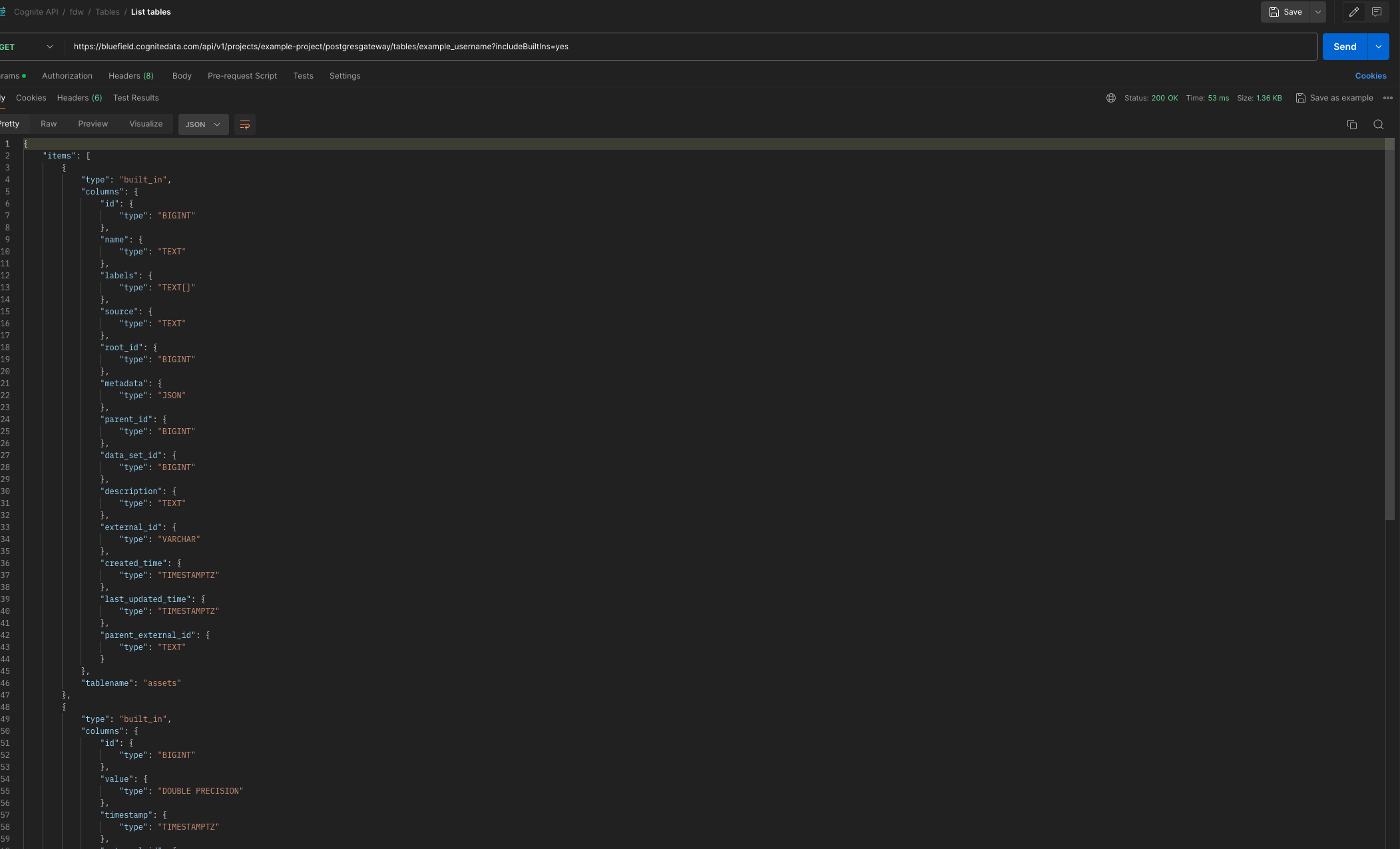
Delete a table
1
Create new request
Create a new request and enter the request name Delete table.
2
Configure POST request
Select the request type as POST and enter your request URL as
https://{cluster}.cognitedata.com/api/v1/projects/{project}/postgresgateway/tables/{username}/delete3
Set authorization
Select Authorization type as OAuth2.0.
4
Configure request body
Inside the Body tab, select raw as the data model and select JSON as the data format.Enter this JSON:
5
Send request
Select Send to fetch the response.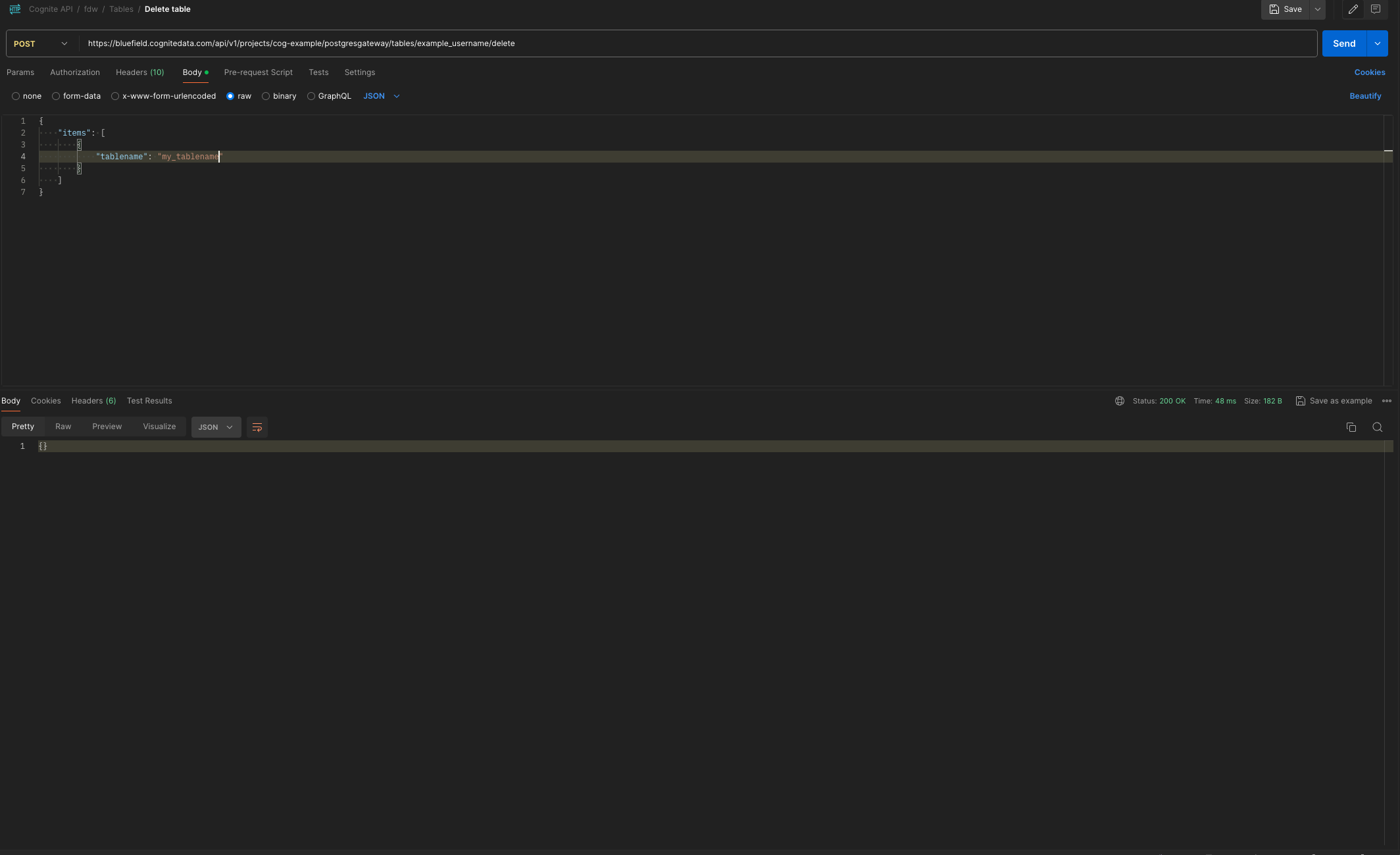
{} in the response indicates you have successfully deleted the table.Step 2: Complete the connection in ETL
1
Verify table availability
Verify that the table you created above is available as a foreign table in your ETL tool.
2
Configure pipeline
Configure your ETL pipeline between the source system and CDF RAW.