

Work with events in a table
Open the Event tab in Grafana to work with the events in a table.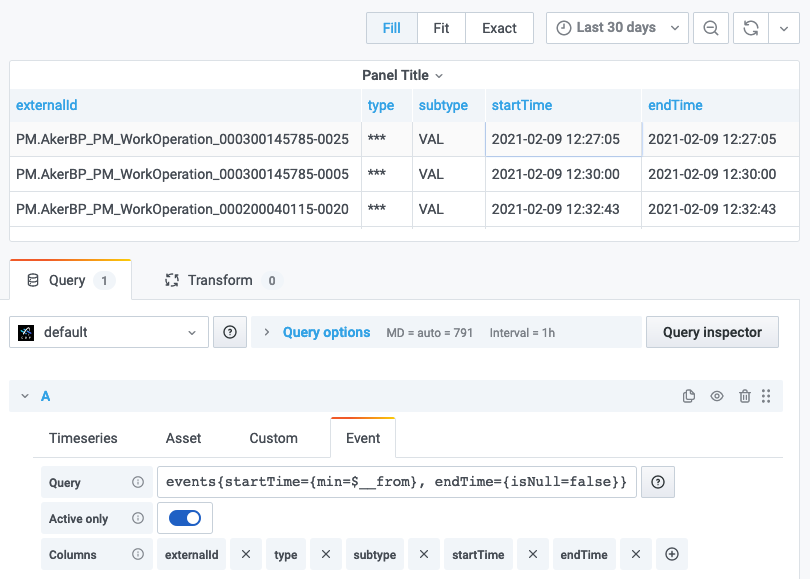
Define a query
Theevents query uses the events/list endpoint to retrieve data.
Format: events{someFilter=number, otherFilter="string"}
Example:
externalIdPrefix, metadata, assetIds, assetExternalIds, rootAssetIds, assetSubtreeIds, dataSetIds, source, type, and subtype.
By default, the query returns active events in the time range, but you can customize a query with the additional time filters startTime, endTime, activeAtTime, createdTime, and lastUpdatedTime.
This example returns all finished events that started in the current time range:
=~, !~, and != operators. A comma between several filters acts as a logical AND.
Format:
-
=~- regex equality. Returns results satisfying the regular expression. -
!~- regex inequality. Excludes results satisfying the regular expression. -
!=- strict inequality. Returns items where a property doesn’t equal a given value.
Don’t use the client-side filters as the primary filtering method.
Grafana applies the filters after items have been returned from CDF, and you may not see all data if CDF returns the maximum number of items (1000).
$variable_name syntax.
Example:
Rename and organize fields
Select the Transform tab to rename and organize fields.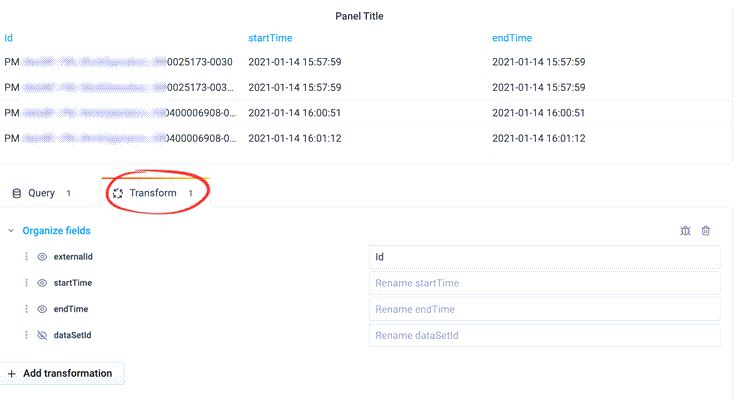
Annotate graphs with events
Use annotations to overlay rich event information from CDF on graphs in Grafana.1
Open dashboard annotations settings
Navigate to your dashboard’s settings, and select Annotations.
2
Select the data source
Select your CDF project in the Data Source field.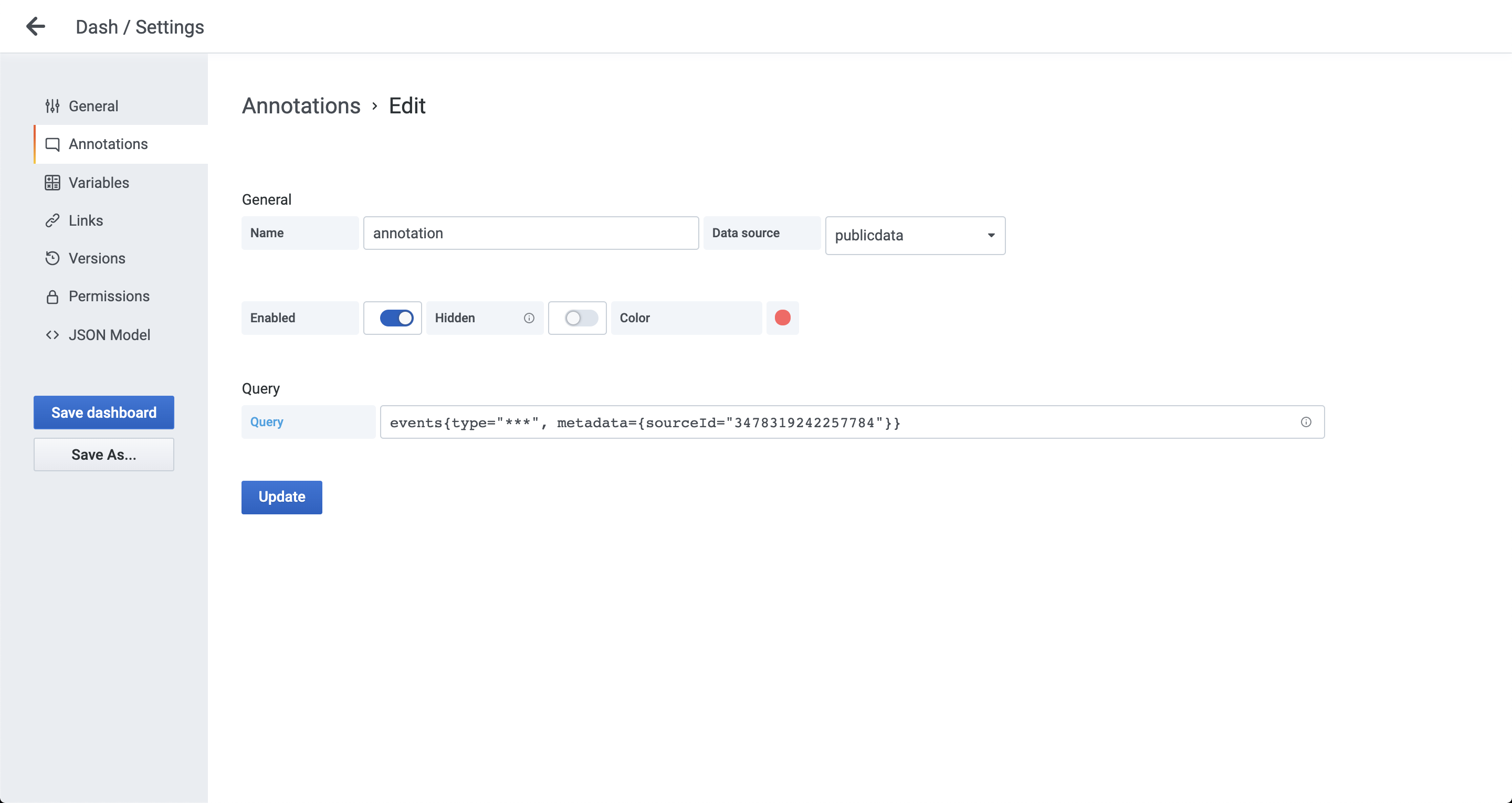
3
Specify the query
Specify the query to fetch and filter events from CDF. For example:The query above requests events with parameter 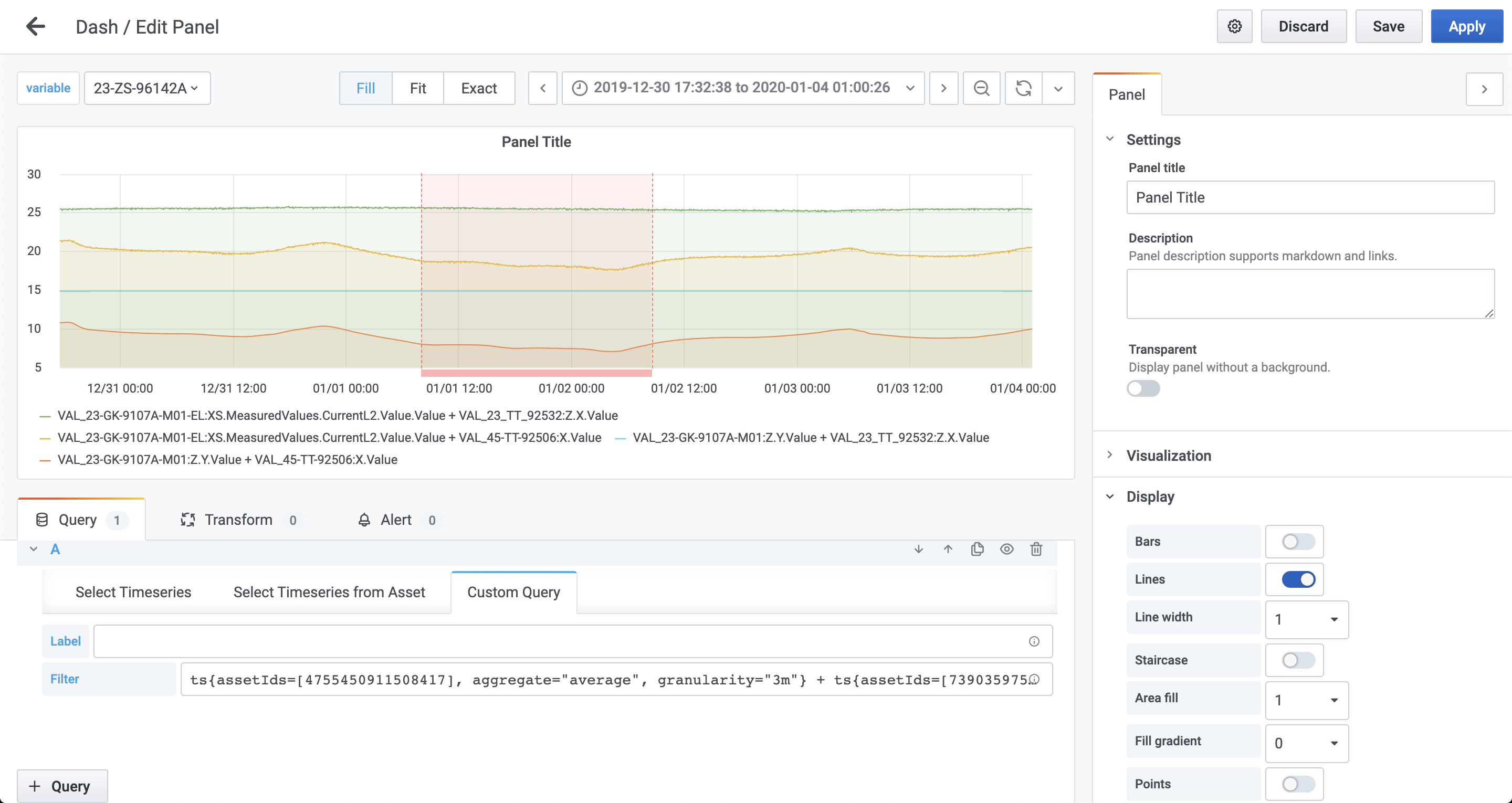
type="some" and filters the results by subtype that matches sub.*.- For a complete list of valid parameters, see the API documentation.
- Learn how to filter the results.