

We currently support Microsoft Entra ID and Amazon Cognito. If you want to use another IdP to manage access to CDF, it must meet these minimum requirements.
Step 1: Get set up
Register core Cognite applications
As an IdP administrator, you can consent for your entire organization to use the CDF application and other Cognite applications. Users can sign in with their organizational identity without having to consent themselves.Integrate Microsoft Entra ID
Register Cognite applications in Entra ID, create linked groups, and configure authentication flows for users and services.
Integrate Amazon Cognito
Set up Cognito user pools, register CDF applications, and establish secure authentication with AWS-based identity management.
Need help choosing an identity provider? CDF fully supports Microsoft Entra ID and Amazon Cognito. Other providers must meet minimum requirements for OAuth 2.0 and OpenID Connect.
Set up groups to control access
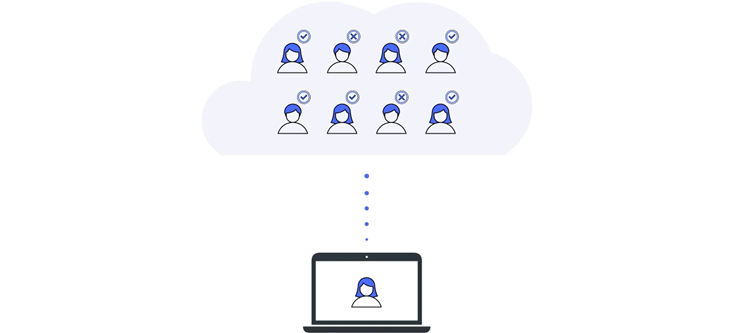
Instead of assigning capabilities to individual users and applications, you create groups in CDF to define what capabilities members (users or applications) have to work with different CDF resources. Then you link and synchronize the CDF groups to user groups in the IdP and continue to manage users and applications in your IdP.Create and link Entra ID groups
Create groups in CDF and link them to Microsoft Entra ID user groups. Define capabilities and synchronize membership for centralized access control.
Create and link Cognito groups
Create groups in CDF and link them to Amazon Cognito user groups. Configure capabilities and manage access through your AWS identity provider.
Assign capabilities to groups
Define what users and applications can do with CDF resources. Configure capabilities for resource types, actions, and security categories.
Learn core concepts
Explore organizations, projects, groups, and capabilities. Understand how these components work together to secure your CDF environment.
Step 2: Register and configure local apps
When you have set up the core applications and groups and verified that users can sign in with their organizational IDs, it’s time to register and configure the apps and components you need for your data integration pipelines, contextualization flows, and data dashboards and to start developing solutions.Register applications in CDF
Register applications in your organization so only approved apps can access CDF APIs.
Register and configure applications in your IdP
Register applications in your identity provider and configure authentication flows for CDF resources.
Step 3: Dive deeper
Get in-depth knowledge that will help you implement an entire project.Learn design principles
Understand the design principles for using Microsoft Entra ID’s OpenID Connect implementation to manage access to CDF.
Follow best practices
Learn the best practices for registering applications and setting up groups to authenticate with CDF.
Understand authentication flows
Learn how OAuth 2.0 grant types work with CDF. Understand how tokens are obtained and choose the right authentication flow for users, services, and applications.
Understand access token scopes
Learn how OAuth 2.0 scopes expand or restrict access granted by CDF groups. View the most relevant scopes defined by CDF.
Step 4: Fix issues
If you are receiving errors or seeing unexpected behavior, our troubleshooting tips can help you resolve the issues.Troubleshoot access issues
Resolve common authentication and authorization problems. Debug token issues, permission errors, and configuration mistakes.