> ## Documentation Index
> Fetch the complete documentation index at: https://docs.cognite.com/llms.txt
> Use this file to discover all available pages before exploring further.
# About simulator integrations
> Set up simulator integrations to connect first-principle simulation tools and CDF for real-time optimization, predictive maintenance, and digital twin development.
Simulation integrations can be used for real-time asset performance optimization, predictive maintenance, what-if scenario analysis, and digital twin development.
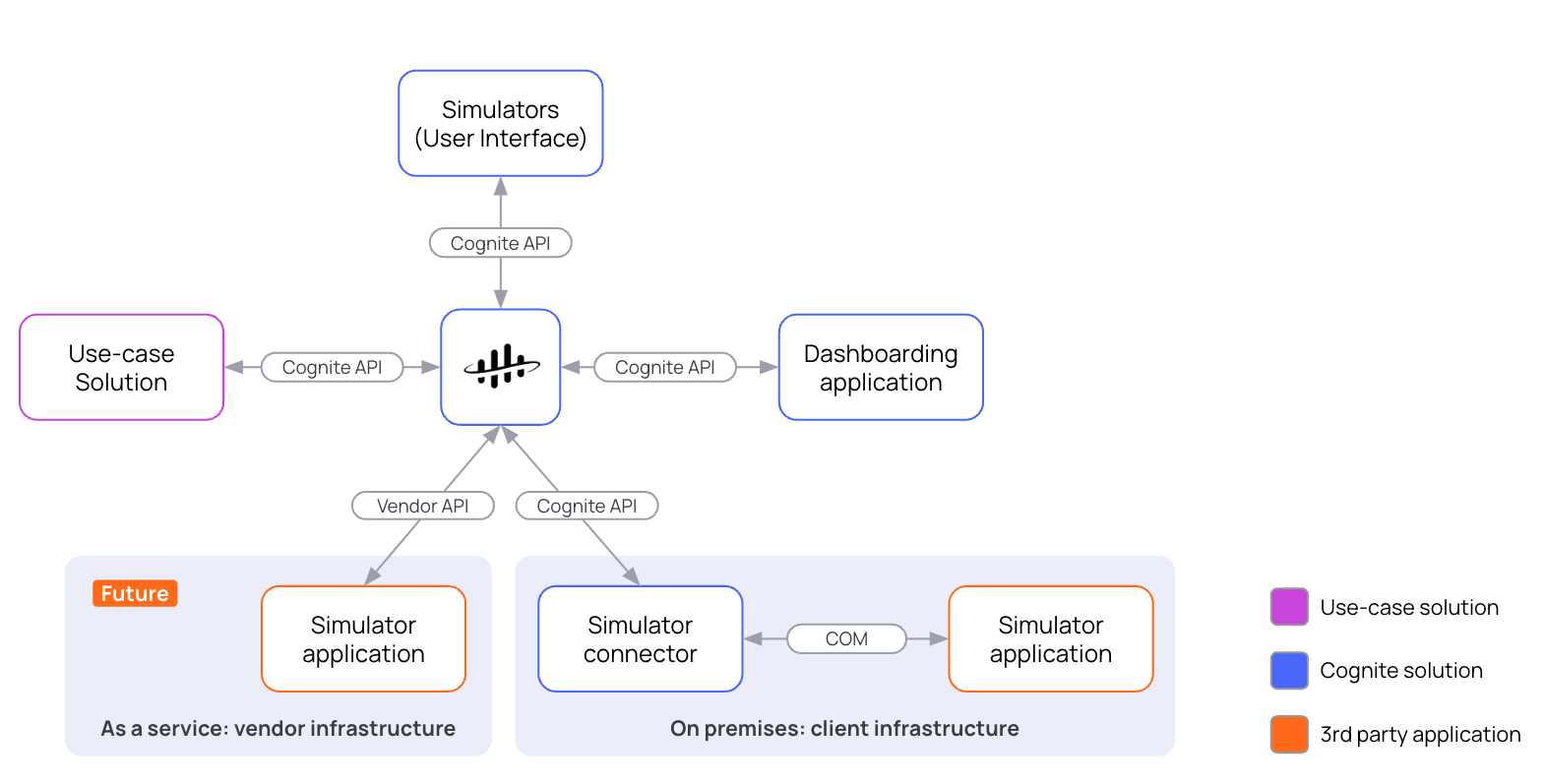
* Configure [simulator connectors](/cdf/integration/guides/simulators/connectors/index). Connectors are Windows services that run on the same host machine as external simulation tools. The connectors integrate external simulation tools with CDF by reading simulation models and simulator routines and use these to run simulations. The connectors use the information in the simulator routines to determine what data to read, which objects to interact with in the simulator, and the commands to run.
* Create simulator models that represent an asset or process within a simulator. The simulator models act as the root of model revisions, routines, runs, and results. You can also upload the model files using the [Cognite Python SDK](https://cognite-sdk-python.readthedocs-hosted.com/en/latest).
* Configure [simulator routines](/cdf/integration/guides/simulators/simulator_routines) to run simulations. A routine includes scheduling information, data preprocessing, data input and output mapping, and the simulator's execution steps. You can create multiple simulator routines for each simulation model to adapt to different simulation scenarios.
* Manage and monitor simulations from Simulators under Data fusion > Build solutions in CDF. Create, edit, and [trigger](/cdf/integration/guides/simulators/simulator_trigger) simulation routines, monitor simulation runs, and explore simulation results.
* With **[Simulation run load balancing](/cdf/integration/guides/simulators/simulator_api)** (*[preview](/cdf/product_feature_status)*), CDF can assign queued runs across healthy connectors for higher throughput.
* You can use the [simulators API](/api-reference/concepts/20230101/simulators) to programmatically interact with [simulator resources in CDF](/cdf/integration/guides/simulators/simulator_api).
The Simulators API enables all the state management and communication between CDF and the connectors.