> ## Documentation Index
> Fetch the complete documentation index at: https://docs.cognite.com/llms.txt
> Use this file to discover all available pages before exploring further.
# About the PostgreSQL gateway
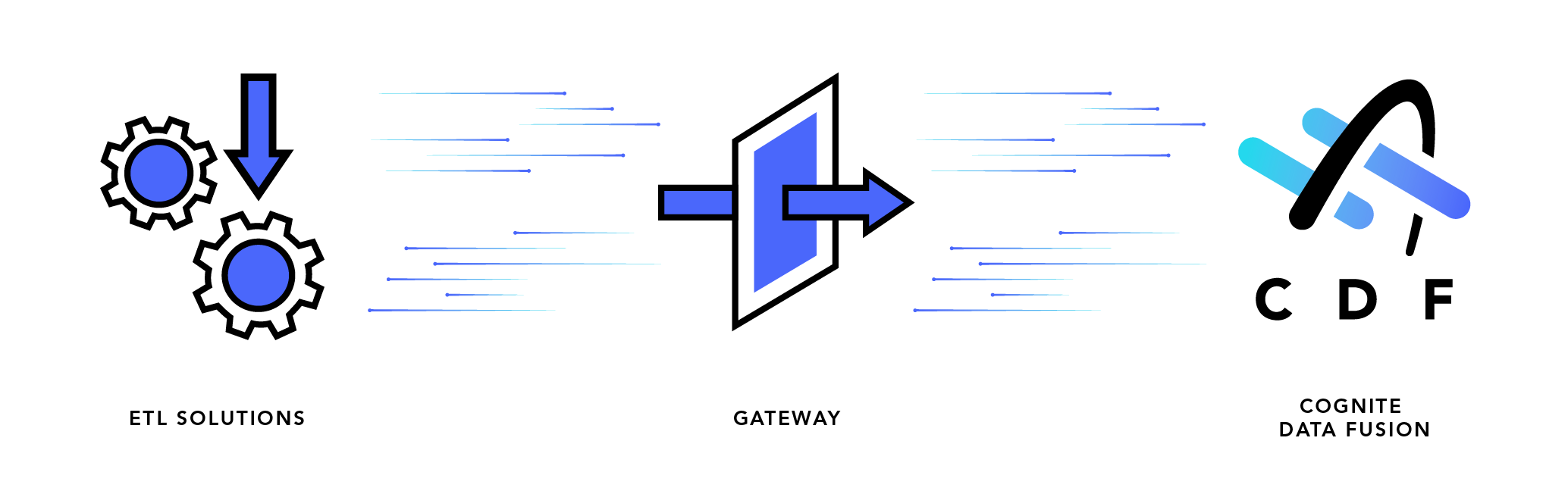
> Ingest data into Cognite Data Fusion (CDF) from ETL tools using the PostgreSQL gateway interface.
This service provides a PostgreSQL interface to CDF and the CDF resource types appear as tables in the PostgreSQL database. You can ingest data directly into CDF resources, like assets, events, and datapoints and to [CDF RAW](/cdf/integration/guides/interfaces/postgres_gateway/ingest_into_raw).
 * Microsoft's Azure Data Factory is the officially supported ETL tool. Alternative tools may be used, but without support from Cognite.
* The PostgreSQL gateway is primarily intended for ingestion, and there are [limitations for querying and analysis](#limitations).
## When to use the PostgreSQL gateway
Consider using the PostgreSQL gateway if:
* You're integrating a new data source that can be accessed through Azure Data Factory (ADF) or other ETL tool that supports writing to PostgreSQL. The PostgreSQL gateway can be used as a sink in ADF.
* You have previously built an extractor that can push data to PostgreSQL, but not to CDF.
Consider other solutions if:
* You need very high performance, especially for ingestion of RAW rows or time series datapoints, in the order of tens of thousands rows/points per second (10-50k/s as a ballpark figure).
To experiment with the PostgreSQL gateway, use a basic interface to run queries, for example, the [`psql`](https://www.postgresql.org/docs/current/app-psql.html) command line tool. Connect to the PostgreSQL gateway using the credentials returned from the [create users](/api-reference/concepts/20230101/postgres-gateway-users) endpoint:
```
psql -h [host] -U [user] -d [user]
```
The name of the database you connect to is identical to the username. When prompted for a password, see the `create users` response message.
## How the PostgreSQL gateway works
The PostgreSQL gateway is a [foreign data wrapper](https://www.postgresql.org/docs/current/ddl-foreign-data.html), which is a PostgreSQL extension where you create **foreign tables**. These are constructs that look like normal PostgreSQL tables, but instead are thin references to external data. When you query a foreign table in the PostgreSQL gateway, your query is translated into one or more HTTP requests to the Cognite API.
This implicitly creates limitations. The PostgreSQL gateway is only capable of doing what the Cognite API can do, but will typically try to fulfill any query. If you write a query that doesn't easily translate into requests to the Cognite API, the gateway may read *all* available data from CDF to fulfill your request.
For example:
```sql theme={"languages":{"custom":["/_languages/kuiper.json","../_languages/kuiper.json"]}}
SELECT * FROM assets ORDER BY id DESC LIMIT 1
```
will read *all* assets from CDF, and then find the asset with the lowest ID. This is because the Cognite API doesn't support [ordering by ID](/api-reference/concepts/20230101/assets).
If you order by `name`:
```sql theme={"languages":{"custom":["/_languages/kuiper.json","../_languages/kuiper.json"]}}
SELECT * FROM assets ORDER BY name DESC LIMIT 1
```
the gateway will correctly translate your query into a single request to CDF:
```json theme={"languages":{"custom":["/_languages/kuiper.json","../_languages/kuiper.json"]}}
{
"sort": {
"property": ["name"],
"order": "desc"
},
"limit": 1
}
```
This creates a potential pitfall, where a simple query will result in a slow and expensive series of requests to CDF. To avoid this, use `EXPLAIN` to see what the query will do. For example:
```sql theme={"languages":{"custom":["/_languages/kuiper.json","../_languages/kuiper.json"]}}
EXPLAIN SELECT * FROM assets ORDER BY name DESC LIMIT 1
```
produces a query plan containing:
```
Summary: Execute 1 CDF query
Operation: Query with no filter
Limit: 1
Sort: name descending, nulls first, collation: default
```
where the gateway queries CDF with a sort clause on `name`.
### Custom tables
In the Cognite API, you can create custom tables that represent [data modeling views](/cdf/dm/dm_concepts/dm_containers_views_datamodels) or [raw tables](/cdf/integration/guides/extraction/raw_explorer). This is a convenient interface for ingesting data into types that have a flexible schema in CDF.
When you create a custom table representing a raw table, the table in CDF RAW isn't required to pre-exist. Instead, the table is automatically created if you *insert* data into the table in the gateway. If you delete a table in the gateway, the corresponding resource isn't deleted.
When you create a custom table representing a data modeling view, the view is required to exist when the table is created since the data modeling definition is imported. If the view is deleted, the table in the gateway isn't deleted.
## Limitations
In principle, you can write any query that you can write to a standard PostgreSQL table to a foreign table. Operations such as `UPDATE ... WHERE`, and `DELETE ... WHERE` work as expected, and you can do complex queries against CDF, even some that usually aren't possible. Filters will be pushed down as much as possible:
```
UPDATE assets SET name = 'new name' WHERE external_id = 'test'
```
only performs a single `update` request, while
```
UPDATE assets SET name = 'new name' WHERE name = 'old name'
```
will first query assets with a filter on `name`, then update based on the result.
### Errors from CDF
Note that in general the PostgreSQL gateway does *not* automatically ignore errors from CDF. If you try to update assets that don't exist, the query will fail. This also applies for attempting to insert duplicates.
These are *not* translated on a per-row level to PostgreSQL rejections, and queries like `UPDATE ... ON CONFLICT DO ...` won't work.
### Joins and aggregations
While you can run joins and aggregations, these aren't pushed down. For example,
```sql theme={"languages":{"custom":["/_languages/kuiper.json","../_languages/kuiper.json"]}}
SELECT COUNT(id) FROM assets
```
will retrieve *all* assets from CDF.
This is also the case for joins. The PostgreSQL gateway does not push down joins at all, so be careful about performing large joins using the gateway.
## Best practices
These are the best practices to apply when using the PostgreSQL gateway.
* Use `COPY FROM ...` for insertion as this is more efficient. If this isn't possible, use batch `INSERT` queries. Avoid making many `INSERT` queries with one row in each.
* Run `EXPLAIN` on queries you're uncertain about. Avoid queries that result in full-table scans, unless that's what you want.
* Try to ingest directly into CDF resources. This simplifies the ingestion pipeline and avoids using transformations unnecessarily.
* Microsoft's Azure Data Factory is the officially supported ETL tool. Alternative tools may be used, but without support from Cognite.
* The PostgreSQL gateway is primarily intended for ingestion, and there are [limitations for querying and analysis](#limitations).
## When to use the PostgreSQL gateway
Consider using the PostgreSQL gateway if:
* You're integrating a new data source that can be accessed through Azure Data Factory (ADF) or other ETL tool that supports writing to PostgreSQL. The PostgreSQL gateway can be used as a sink in ADF.
* You have previously built an extractor that can push data to PostgreSQL, but not to CDF.
Consider other solutions if:
* You need very high performance, especially for ingestion of RAW rows or time series datapoints, in the order of tens of thousands rows/points per second (10-50k/s as a ballpark figure).
To experiment with the PostgreSQL gateway, use a basic interface to run queries, for example, the [`psql`](https://www.postgresql.org/docs/current/app-psql.html) command line tool. Connect to the PostgreSQL gateway using the credentials returned from the [create users](/api-reference/concepts/20230101/postgres-gateway-users) endpoint:
```
psql -h [host] -U [user] -d [user]
```
The name of the database you connect to is identical to the username. When prompted for a password, see the `create users` response message.
## How the PostgreSQL gateway works
The PostgreSQL gateway is a [foreign data wrapper](https://www.postgresql.org/docs/current/ddl-foreign-data.html), which is a PostgreSQL extension where you create **foreign tables**. These are constructs that look like normal PostgreSQL tables, but instead are thin references to external data. When you query a foreign table in the PostgreSQL gateway, your query is translated into one or more HTTP requests to the Cognite API.
This implicitly creates limitations. The PostgreSQL gateway is only capable of doing what the Cognite API can do, but will typically try to fulfill any query. If you write a query that doesn't easily translate into requests to the Cognite API, the gateway may read *all* available data from CDF to fulfill your request.
For example:
```sql theme={"languages":{"custom":["/_languages/kuiper.json","../_languages/kuiper.json"]}}
SELECT * FROM assets ORDER BY id DESC LIMIT 1
```
will read *all* assets from CDF, and then find the asset with the lowest ID. This is because the Cognite API doesn't support [ordering by ID](/api-reference/concepts/20230101/assets).
If you order by `name`:
```sql theme={"languages":{"custom":["/_languages/kuiper.json","../_languages/kuiper.json"]}}
SELECT * FROM assets ORDER BY name DESC LIMIT 1
```
the gateway will correctly translate your query into a single request to CDF:
```json theme={"languages":{"custom":["/_languages/kuiper.json","../_languages/kuiper.json"]}}
{
"sort": {
"property": ["name"],
"order": "desc"
},
"limit": 1
}
```
This creates a potential pitfall, where a simple query will result in a slow and expensive series of requests to CDF. To avoid this, use `EXPLAIN` to see what the query will do. For example:
```sql theme={"languages":{"custom":["/_languages/kuiper.json","../_languages/kuiper.json"]}}
EXPLAIN SELECT * FROM assets ORDER BY name DESC LIMIT 1
```
produces a query plan containing:
```
Summary: Execute 1 CDF query
Operation: Query with no filter
Limit: 1
Sort: name descending, nulls first, collation: default
```
where the gateway queries CDF with a sort clause on `name`.
### Custom tables
In the Cognite API, you can create custom tables that represent [data modeling views](/cdf/dm/dm_concepts/dm_containers_views_datamodels) or [raw tables](/cdf/integration/guides/extraction/raw_explorer). This is a convenient interface for ingesting data into types that have a flexible schema in CDF.
When you create a custom table representing a raw table, the table in CDF RAW isn't required to pre-exist. Instead, the table is automatically created if you *insert* data into the table in the gateway. If you delete a table in the gateway, the corresponding resource isn't deleted.
When you create a custom table representing a data modeling view, the view is required to exist when the table is created since the data modeling definition is imported. If the view is deleted, the table in the gateway isn't deleted.
## Limitations
In principle, you can write any query that you can write to a standard PostgreSQL table to a foreign table. Operations such as `UPDATE ... WHERE`, and `DELETE ... WHERE` work as expected, and you can do complex queries against CDF, even some that usually aren't possible. Filters will be pushed down as much as possible:
```
UPDATE assets SET name = 'new name' WHERE external_id = 'test'
```
only performs a single `update` request, while
```
UPDATE assets SET name = 'new name' WHERE name = 'old name'
```
will first query assets with a filter on `name`, then update based on the result.
### Errors from CDF
Note that in general the PostgreSQL gateway does *not* automatically ignore errors from CDF. If you try to update assets that don't exist, the query will fail. This also applies for attempting to insert duplicates.
These are *not* translated on a per-row level to PostgreSQL rejections, and queries like `UPDATE ... ON CONFLICT DO ...` won't work.
### Joins and aggregations
While you can run joins and aggregations, these aren't pushed down. For example,
```sql theme={"languages":{"custom":["/_languages/kuiper.json","../_languages/kuiper.json"]}}
SELECT COUNT(id) FROM assets
```
will retrieve *all* assets from CDF.
This is also the case for joins. The PostgreSQL gateway does not push down joins at all, so be careful about performing large joins using the gateway.
## Best practices
These are the best practices to apply when using the PostgreSQL gateway.
* Use `COPY FROM ...` for insertion as this is more efficient. If this isn't possible, use batch `INSERT` queries. Avoid making many `INSERT` queries with one row in each.
* Run `EXPLAIN` on queries you're uncertain about. Avoid queries that result in full-table scans, unless that's what you want.
* Try to ingest directly into CDF resources. This simplifies the ingestion pipeline and avoids using transformations unnecessarily.