> ## Documentation Index
> Fetch the complete documentation index at: https://docs.cognite.com/llms.txt
> Use this file to discover all available pages before exploring further.
# About extraction pipelines
> Monitor data flow in Cognite Data Fusion (CDF) with extraction pipelines to catch failures and ensure reliable data integration.
By activating automatic email notifications, you'll catch any extractor failures or data flow interruptions and can start troubleshooting using the extraction pipeline documentation.
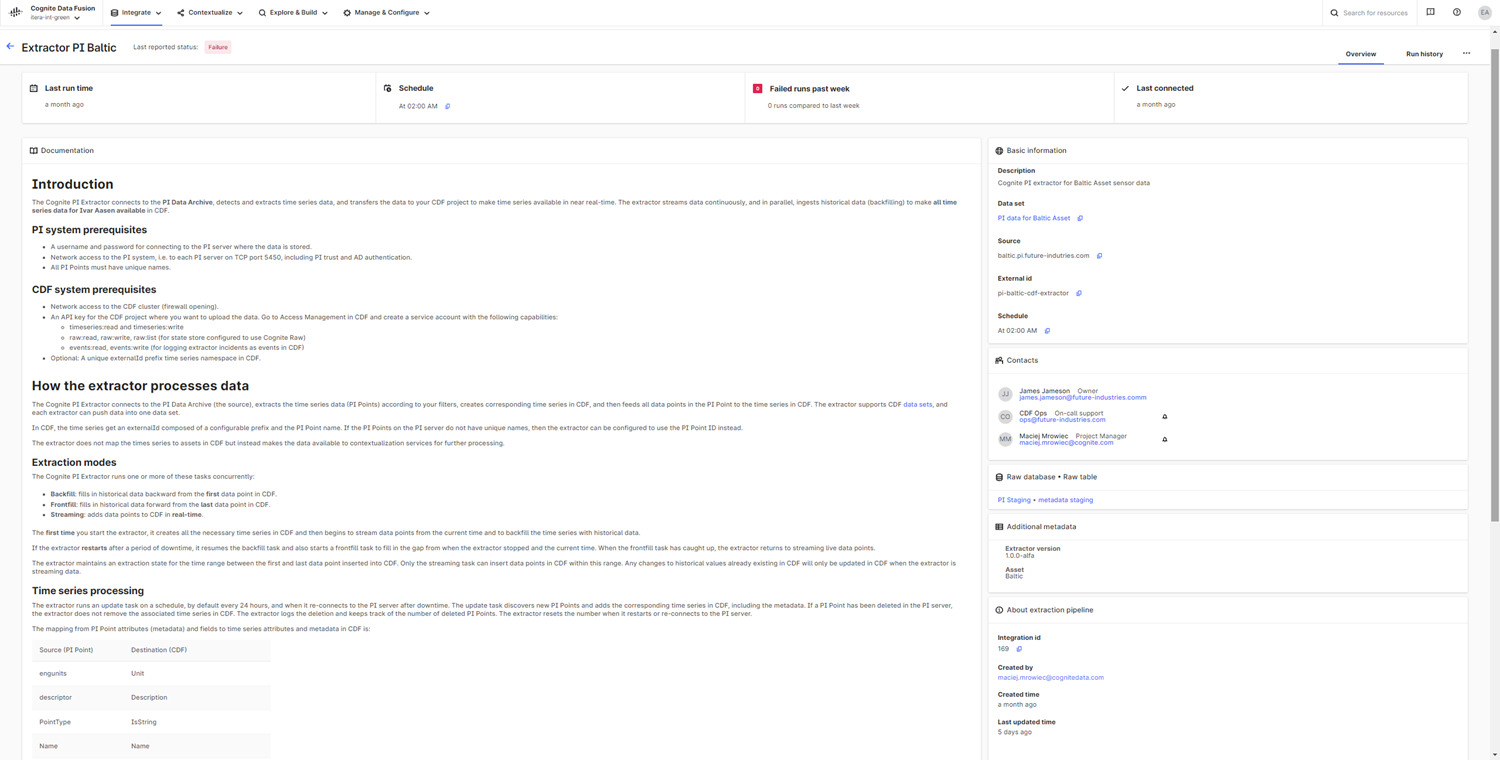
You can create and monitor extraction pipelines while you're already working with CDF data sets by opening Data fusion > Data catalog. You can also create and view pipelines across several data sets from Data fusion > Integrate > **Extraction pipelines**.
On the **Extraction pipeline** page, you'll get an overview of successful and failed pipeline runs, see when an extractor last communicated with CDF, and the last data sync with CDF. You can contact the pipeline owner and other relevant stakeholders using the contact info added for a pipeline. The **extraction pipelines documentation** helps you keep track of the data set, source systems, target database tables, and comprehensive free-text descriptions will guide you through the troubleshooting.
In the **Configuration settings for extraction** section, you can create and edit the extractor configuration to test and verify the extractor settings, preferably in testing and staging environments. When applying the extractor configuration to a production environment, we recommend setting up [remote configuration files](/cdf/integration/guides/interfaces/configure_integrations) stored in the cloud using versioned files and continuous integration systems, such as [GitHub Actions](https://github.com/cognitedata/upload-config-action), or directly with the [Cognite API](/api-reference/concepts/20230101/api-description).
You can set up extraction pipelines for all types of extractors, such as [data flows from Azure Data Factory](/cdf/integration/guides/interfaces/postgres_gateway/setup_data_factory#step-6-report-run-status-for-data-extractions) and the [Cognite extractors](/cdf/integration/concepts/extraction/index).