> ## Documentation Index
> Fetch the complete documentation index at: https://docs.cognite.com/llms.txt
> Use this file to discover all available pages before exploring further.
# About identity and access management
> Manage access to Cognite Data Fusion (CDF)applications and data using your existing identity provider framework with OAuth 2.0 and OpenID Connect.
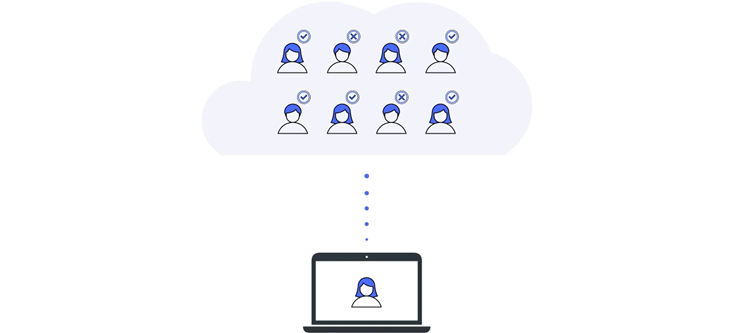
With CDF, you can use your existing IdP framework to **manage access** to applications and data. Users authenticate with a single account to multiple applications. Use **identity providers** (IdPs) that support OAuth 2.0 and OpenID Connect, the two standards used in establishing trust between the CDF services, the front-end applications, and the identity provider.
We currently support **Microsoft Entra ID** and **Amazon Cognito**. If you want to use another IdP to manage access to CDF, it must meet [these minimum requirements](/cdf/access/concepts/minimum_idp_requirements).
 ## Step 1: Get set up
### Register core Cognite applications
As an IdP administrator, you can consent for your entire organization to use the CDF application and other Cognite applications. Users can sign in with their organizational identity without having to consent themselves.
Register Cognite applications in Entra ID, create linked groups, and configure authentication flows for users and services.
Set up Cognito user pools, register CDF applications, and establish secure authentication with AWS-based identity management.
Need help choosing an identity provider? CDF fully supports **Microsoft Entra ID** and **Amazon Cognito**. Other providers must meet [minimum requirements](/cdf/access/concepts/minimum_idp_requirements) for OAuth 2.0 and OpenID Connect.
### Set up groups to control access
Instead of assigning capabilities to individual users and applications, you create **groups** in CDF to define what **capabilities** members (users or applications) have to work with different CDF resources. Then you link and synchronize the CDF groups to user groups in the IdP and continue to manage users and applications in your IdP.
Create groups in CDF and link them to Microsoft Entra ID user groups. Define capabilities and synchronize membership for centralized access control.
Create groups in CDF and link them to Amazon Cognito user groups. Configure capabilities and manage access through your AWS identity provider.
Define what users and applications can do with CDF resources. Configure capabilities for resource types, actions, and security categories.
Explore organizations, projects, groups, and capabilities. Understand how these components work together to secure your CDF environment.
## Step 2: Register and configure local apps
When you have set up the core applications and groups and verified that users can sign in with their organizational IDs, it's time to register and configure the apps and components you need for your data integration pipelines, contextualization flows, and data dashboards and to start developing solutions.
Configure local applications and components to enable secure access to CDF resources.
## Step 3: Dive deeper
Get in-depth knowledge that will help you implement an entire project.
Understand the design principles for using Microsoft Entra ID's OpenID Connect implementation to manage access to CDF.
Learn the best practices for registering applications and setting up groups to authenticate with CDF.
Learn how OAuth 2.0 grant types work with CDF. Understand how tokens are obtained and choose the right authentication flow for users, services, and applications.
Learn how OAuth 2.0 scopes expand or restrict access granted by CDF groups. View the most relevant scopes defined by CDF.
## Step 4: Fix issues
If you are receiving errors or seeing unexpected behavior, our troubleshooting tips can help you resolve the issues.
Resolve common authentication and authorization problems. Debug token issues, permission errors, and configuration mistakes.
## Step 1: Get set up
### Register core Cognite applications
As an IdP administrator, you can consent for your entire organization to use the CDF application and other Cognite applications. Users can sign in with their organizational identity without having to consent themselves.
Register Cognite applications in Entra ID, create linked groups, and configure authentication flows for users and services.
Set up Cognito user pools, register CDF applications, and establish secure authentication with AWS-based identity management.
Need help choosing an identity provider? CDF fully supports **Microsoft Entra ID** and **Amazon Cognito**. Other providers must meet [minimum requirements](/cdf/access/concepts/minimum_idp_requirements) for OAuth 2.0 and OpenID Connect.
### Set up groups to control access
Instead of assigning capabilities to individual users and applications, you create **groups** in CDF to define what **capabilities** members (users or applications) have to work with different CDF resources. Then you link and synchronize the CDF groups to user groups in the IdP and continue to manage users and applications in your IdP.
Create groups in CDF and link them to Microsoft Entra ID user groups. Define capabilities and synchronize membership for centralized access control.
Create groups in CDF and link them to Amazon Cognito user groups. Configure capabilities and manage access through your AWS identity provider.
Define what users and applications can do with CDF resources. Configure capabilities for resource types, actions, and security categories.
Explore organizations, projects, groups, and capabilities. Understand how these components work together to secure your CDF environment.
## Step 2: Register and configure local apps
When you have set up the core applications and groups and verified that users can sign in with their organizational IDs, it's time to register and configure the apps and components you need for your data integration pipelines, contextualization flows, and data dashboards and to start developing solutions.
Configure local applications and components to enable secure access to CDF resources.
## Step 3: Dive deeper
Get in-depth knowledge that will help you implement an entire project.
Understand the design principles for using Microsoft Entra ID's OpenID Connect implementation to manage access to CDF.
Learn the best practices for registering applications and setting up groups to authenticate with CDF.
Learn how OAuth 2.0 grant types work with CDF. Understand how tokens are obtained and choose the right authentication flow for users, services, and applications.
Learn how OAuth 2.0 scopes expand or restrict access granted by CDF groups. View the most relevant scopes defined by CDF.
## Step 4: Fix issues
If you are receiving errors or seeing unexpected behavior, our troubleshooting tips can help you resolve the issues.
Resolve common authentication and authorization problems. Debug token issues, permission errors, and configuration mistakes.